Central University · Miotso
For verified Central University students at Miotso. No cash, no haggling, a driver assigned for you.
Map © OpenStreetMap contributors
No cash. No haggling. Verified students only. Fare fixed before you confirm. 4-digit PIN on every trip. Cancel free, always. Mobile money top-ups.
Smart, safe, and fast rides just a tap away



Set up once, then every ride is a destination, a fare you can see, and a PIN. No cash, no haggling, a driver assigned for you.
- 01
Verify once
Add your Ghana Card and student ID. Only verified Central University students can ride.
- 02
Top up your wallet
Add money with mobile money. Rides are paid from your wallet, so you never carry cash.
- 03
Book and ride
Pick a destination, see the fare, and meet your driver with a 4-digit PIN.
You see the exact fare before you confirm. It never changes after.
One corridor, served well. Pick up from the points below; the app shows exactly where to stand.
Pickup points

Verified students only
Every rider is verified with a Ghana Card and student ID.
PIN check before every trip
Your driver can only start the trip with your 4-digit PIN.
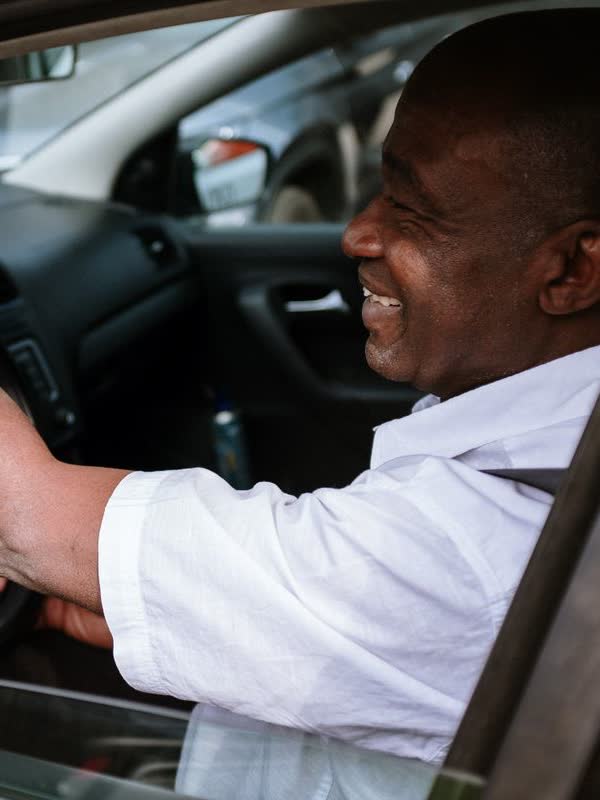
Salaried, vetted drivers
Drivers are vetted and paid a salary, not chasing fares.
SOS, watched by staff
The SOS button in the app goes straight to Turbo staff.

Share your trip
Send your live trip to trusted contacts in a tap.
We never ask you for your wallet PIN.
Not by call, text or WhatsApp. If someone asks, it isn’t us.
Your money, your wallet
- Cancellation fee
- GH₵0
- Changed your mind? Cancel any time. No fee, no penalty.
- Trip PIN
- 4 digits
- Your driver can only start the trip once you share your PIN.
- Your balance
- Untouched
- Nothing leaves your wallet until you confirm a ride.
Who can use Turbo?
How does verification work, and how long does it take?
How do I top up my wallet?
What if my driver does not show?
Can I cancel?
What if I lose my phone?
How do I delete my account?
Get Turbo on your phone, or book from any browser. Your wallet pays, your PIN starts the trip.